Technical Guide: Deploying Nutanix on Cisco UCS in Standalone Mode (ISM)
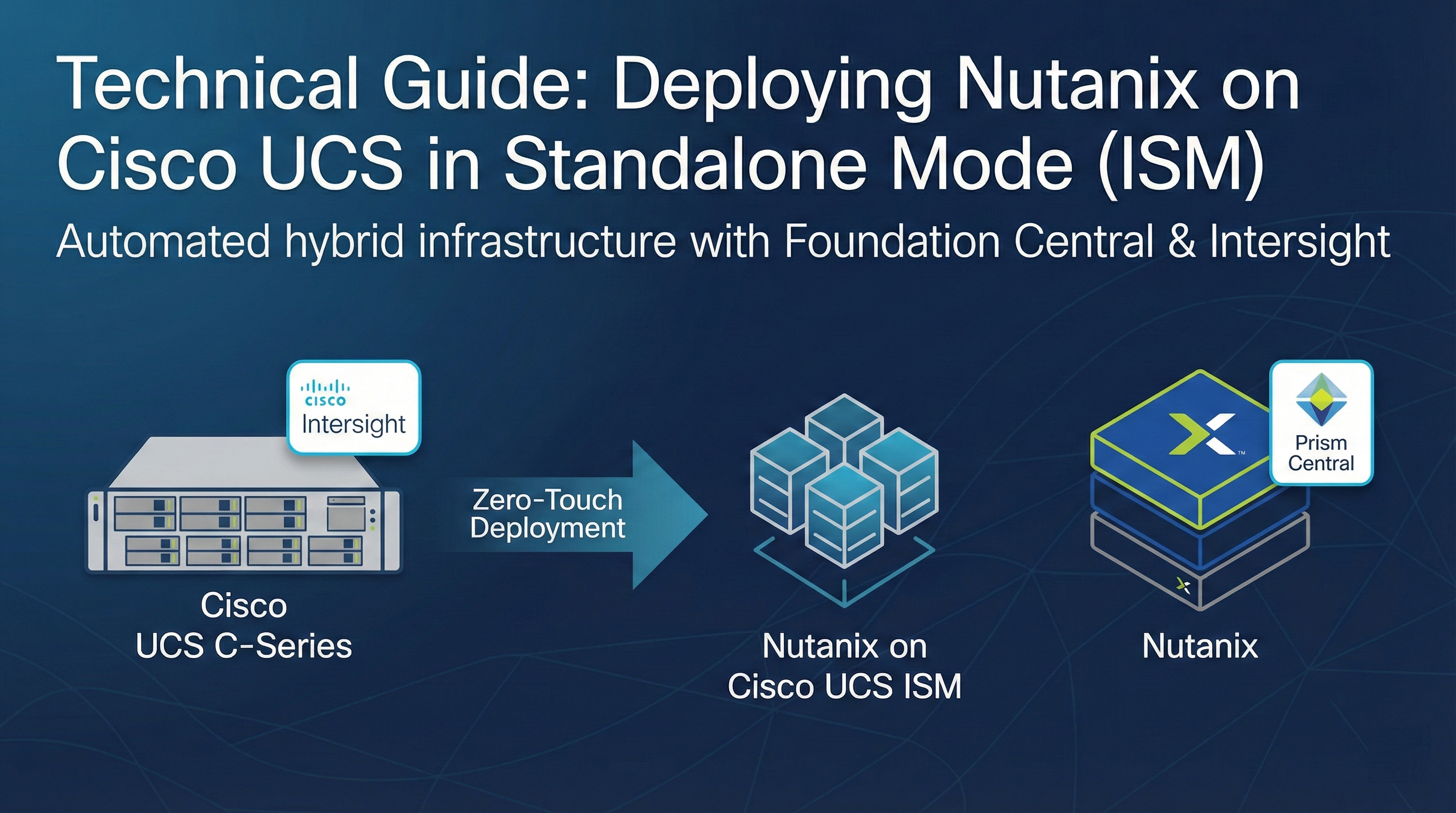
In modern data center architectures, the ability to deploy high-performance infrastructure without the complexity of Fabric Interconnects is a significant advantage. Running Nutanix Cloud Infrastructure (NCI) on Cisco UCS C-Series servers in Intersight Standalone Mode (ISM) provides a streamlined, cloud-managed footprint ideal for edge sites and enterprise data centers alike.
By leveraging the native integration between Nutanix Foundation Central and Cisco Intersight, the deployment process is highly automated, transforming manual hardware provisioning into a zero-touch software-defined workflow.
Infrastructure Strategy & Prerequisites
Before starting the deployment, it is critical to ensure all components are prepared for communication.
Architecture Overview
In ISM, Cisco UCS servers connect directly to standard Ethernet switches. This mode removes the requirement for Cisco Fabric Interconnects, while still providing full management through the Cisco Intersight cloud.
Software Requirements
- Prism Central (PC): An existing PC instance must be deployed with Foundation Central enabled from the marketplace.
- Cisco Intersight: A valid SaaS, Connected, or Private Virtual Appliance account is required.
- Network Services: Reliable NTP and DNS must be configured for all endpoints.
- Future Roadmap: Nutanix is developing Foundation Central as a standalone appliance. Once released, this will eliminate the current requirement for a pre-existing Prism Central during initial “greenfield” deployments.
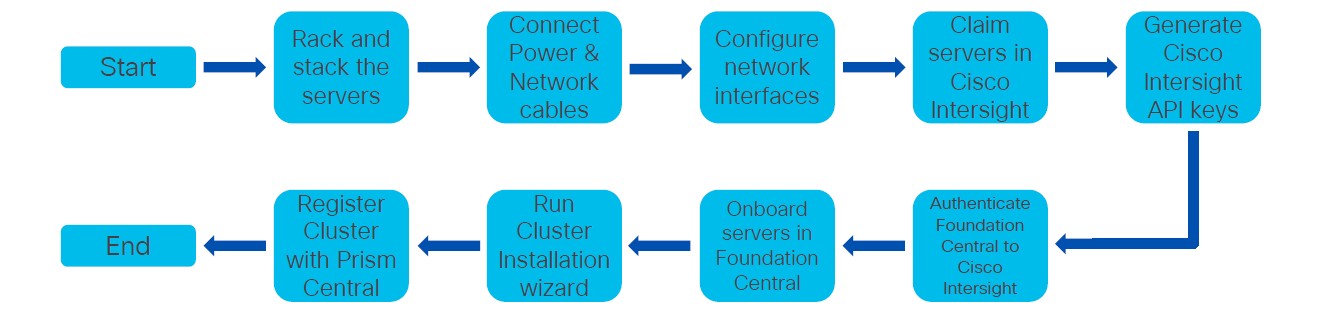 Figure 1: High-level deployment workflow for Nutanix on Cisco UCS ISM.
Detailed Deployment Workflow
Phase 1: Claim Nodes into Cisco Intersight
The physical servers must be added to your Intersight account to enable remote orchestration.
- CIMC Setup: Configure the Cisco Integrated Management Controller (CIMC) on each server with a static IP and DNS.
- Retrieve Codes: Access the CIMC web interface, navigate to Admin > Device Connector, and copy the Device ID and Claim Code.
- Target Claim: In Cisco Intersight, go to System > Targets > Claim a New Target. Select Cisco UCS Server (Standalone) and enter the codes to finish the claim.
Phase 2: Establish the Management Plane
Configure the Nutanix orchestration layer to manage the deployment.
- Deploy Prism Central: If not already present, deploy a PC instance in your environment.
- Enable Foundation Central: Within Prism Central, navigate to the Marketplace and enable the Foundation Central service.
Phase 3: Secure API Integration
Create a secure bridge between Nutanix and Cisco using API keys.
- Generate Intersight Key: In Intersight, go to Settings > Keys > Generate API Key.
- Configuration: Select API key for OpenAPI schema version 3.
- Authentication: Save the API Key ID and download the Secret Key file.
- Connect Hardware Provider: In Foundation Central, go to Settings > Connect Hardware Provider. Select Cisco Intersight, enter your API Key ID, and upload the Secret Key.
Phase 4: Initiate Automated Deployment
Launch the final orchestration process to form your cluster.
- Node Discovery: In Foundation Central, navigate to Nodes > Onboard Nodes > Intersight Standalone Mode (ISM). Select the discovered nodes and click Onboard.
- Cluster Configuration: Select your onboarded nodes and click Create Cluster. Enter the following:
- Cluster Identity: Name, RF (Replication Factor), and Intersight Organization.
- Software Images: URLs for the AOS and Hypervisor (AHV or ESXi) installers.
- Networking: IP addresses for the CVMs, Hypervisors, Gateway, and Netmask.
- Finalize: Submit the configuration. Foundation Central will automatically create the Intersight policies, assign server profiles, reimage the nodes, and form the cluster.
Conclusion
The combination of Nutanix Foundation Central and Cisco Intersight ISM provides a highly scalable and consistent deployment model. By removing manual hardware configuration steps, teams can focus on delivering application services with greater agility.
This guide is part of our internal technical knowledge base for hybrid infrastructure. If you are a technical lead managing a team in the field, ensure all ToR switch ports are set to trunk mode before starting Phase 4.